Setting Up a Nevada Online Account
Navigating the myriad of state wildlife department websites can feel like trying to find a trailhead in a snowstorm – utterly confusing and frustrating, especially when you're just trying to get your foot in the door for a coveted Nevada hunt. This comprehensive guide will walk you through the essential steps of setting up your Nevada Department of Wildlife (NDOW) online account, ensuring you're ready to tackle applications, purchase licenses, and manage your hunting profile without unnecessary headaches.
Why Your NDOW Online Account Is Absolutely Essential
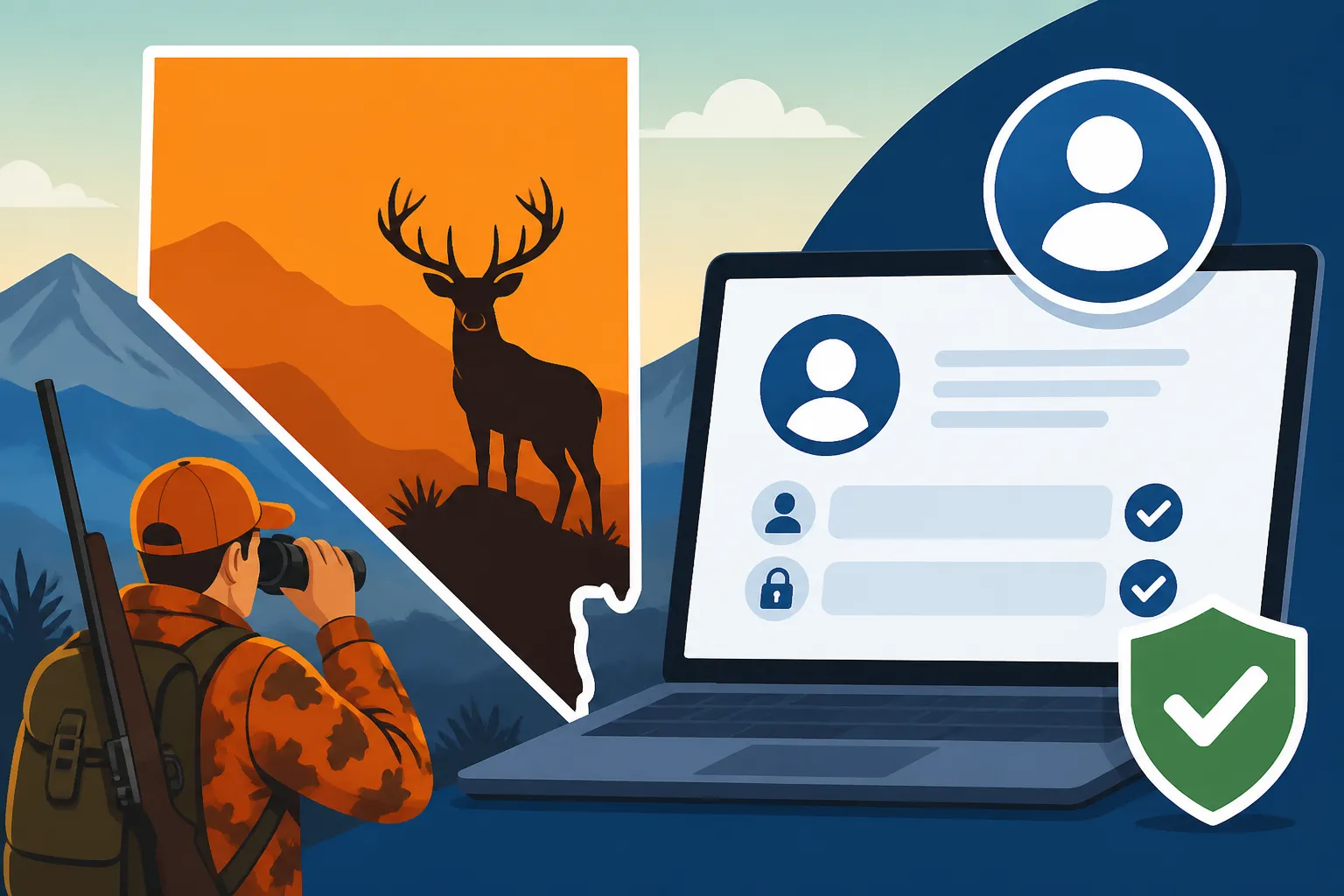
Think of your NDOW online account as your digital hunting identity for Nevada. Without it, you simply can't participate in the state's big game draw, purchase a basic hunting license, or even check your bonus points. It’s not just a convenience; it’s a non-negotiable gateway to hunting in the Silver State. Many seasoned hunters, myself included, have hit that "submit" button on an application only to realize they forgot a crucial step or didn't have their account properly linked. It's a frustrating situation that's easily avoidable with a bit of foresight.
This account holds all your personal information, your hunting history, any hunter education certifications you possess, and crucially, your bonus points. These points are the golden tickets for future draws, and losing track of them or having an issue with your account can be a major setback. For anyone looking to secure a tag for species like mule deer or elk, understanding and correctly utilizing your online profile is paramount. It’s where you'll go to verify things like your residency status, update contact details, and ensure your Nevada's Combination License Comes Before Any Tag is always up-to-date.
Avoiding Common Pitfalls During Account Setup
The biggest frustration newcomers often face is not having all the necessary information handy when they sit down to create their account. It feels like you're constantly being asked for another piece of data, and if you have to stop halfway through, you risk losing your progress or, worse, creating duplicate records. Duplicate accounts are a real nightmare and can mess with your bonus point accrual, which is something you definitely want to avoid if you're serious about drawing a quality tag down the line. It's also where your Nevada Hunter Education From Any State needs to be logged, a step many overlook initially.
Another common pitfall is misunderstanding the difference between simply creating an account and linking existing hunter education records or previous license purchases. Many states, Nevada included, transitioned to new online systems over the years, and sometimes old data doesn't automatically transfer. This can lead to moments of panic when you log in and don't see your history. Being prepared and patient through this process can save you a lot of calls to NDOW customer service later on. Tools like GoHunt can provide insights into draw odds and unit breakdowns, but they still rely on you having your fundamental NDOW account squared away.
Step-by-Step Guide to Creating Your NDOW Online Account
Creating your NDOW online account is straightforward, but it requires attention to detail. I’ve seen plenty of folks get tripped up on minor things that lead to major headaches. The goal here is to get it right the first time so you can focus on the exciting stuff, like planning your hunt and studying unit maps. You’ll want to carve out about 15-20 minutes of uninterrupted time, grab a strong cup of coffee, and gather all your personal documents.
Gathering Your Essential Information
Before you even open the NDOW website, make sure you have the following information readily accessible. This will make the process incredibly smooth and prevent you from having to scramble mid-signup.
- Valid Email Address: This will be your primary username and how NDOW communicates with you. Make sure it's an email you check regularly.
- Social Security Number: Required for federal background checks and identification for licensing purposes.
- Date of Birth: Standard identification.
- Physical Address: For residency verification and mailing physical licenses or tags.
- Phone Number: Another vital contact method.
- Driver's License or State ID Number: For further identification and residency verification.
- Hunter Education Certificate Number: If you have one, especially if you were born after 1959. This is crucial for proving you meet the Anyone Born After 1959 Needs Nevada Hunter Education requirement.
- Credit/Debit Card: For purchasing licenses, applications, or points.
Having this information at your fingertips means you won't be digging through drawers or emails when you're in the middle of a form. It’s a small step that makes a huge difference.
Navigating the NDOW Website and Registration Process
Once you have your information ready, head over to the official Nevada Department of Wildlife website. Look for a "Licensing" or "Apply for a Hunt" section, usually prominently displayed.
- Find the "Create Account" or "Register" Link: This might be under a "Login" button, or on a page specifically for licensing and permits.
- Select "Individual Account": Unless you're representing an organization, this is the option for hunters.
- Enter Personal Information: You'll be prompted for your name, date of birth, and Social Security Number. The system will attempt to find any existing records associated with you. If you've ever had a fishing license, youth license, or taken hunter education in Nevada, it might pull up an existing profile. This is where many people hit a snag, so be patient. If it finds a record, confirm it's yours and proceed. If not, you'll be creating a brand new profile.
- Set Up Login Credentials: This typically involves creating a username (often your email) and a strong password. Choose something secure that you'll remember.
- Provide Contact Information: Input your current mailing address, phone number, and confirm your email. Double-check for typos here; incorrect details can lead to missed communication about draw results or important updates. This is also where NDOW will send notifications when Nevada Draw Results Land at the End of May or when your tags are shipped.
- Enter Residency Information: This is critical for determining your eligibility for resident-priced licenses and tags. Be honest and accurate, as false claims can lead to severe penalties.
- Input Hunter Education Details: If prompted, enter your hunter education certificate number and the state it was issued in. If you took your course outside of Nevada, the system might have a way for you to upload a copy or input the details for verification. This often needs to be done manually, so don't be surprised if it doesn't auto-fill.
- Review and Confirm: Before finalizing, review all the information you've entered. Make sure everything is accurate. Once you click "submit," your account should be created! You should receive a confirmation email shortly thereafter.
Now that your account is set up, you're officially ready to delve into the world of Nevada hunting applications and license purchases. Remember, an online account is the first step towards navigating the complex waters of big game draws, so getting this foundation right is key to your hunting success.
Troubleshooting Common Account Creation Issues
It's not uncommon to run into a hiccup or two during the account creation process. The systems aren't always perfect, and sometimes user error or unique situations can cause problems. Don't throw your computer out the window just yet!
One of the most frequent issues is the "duplicate account" error. This usually happens if you’ve interacted with NDOW in the past, even years ago, for a fishing license, an off-road vehicle permit, or a youth hunting certificate. The system might have a ghost of a profile for you. If you encounter this, don't just try to create a new account with a different email. Your best bet is to contact NDOW's licensing department directly. They can often merge duplicate accounts or help you recover your original login credentials. Having your Social Security Number and previous license numbers ready will greatly assist them in finding your existing records.
Another common problem is difficulty linking your hunter education certificate, especially if it's from another state. Some state systems are better at cross-referencing than others. If the online form doesn't seem to accept your out-of-state certification, or if you can't find a place to enter it, call NDOW. They will guide you on how to properly record it in your profile, which is a must-do before you can purchase any big game licenses or apply for draws.
Finally, sometimes the website itself can be a bit finicky, especially during peak application periods like when Nevada Applications Run March 23 to May 13 or right before The Nevada Application Deadline Date. If pages are loading slowly, or you're getting error messages, try clearing your browser's cache and cookies, or switch to a different browser. If the problem persists, it might be a system-wide issue, and waiting a few hours or trying again the next day could resolve it. Persistence pays off when dealing with online government systems.
| Information Category | Required Details | Importance | What to Have Ready |
|---|---|---|---|
| Personal Identity | Full Legal Name, Date of Birth, Social Security # | Core identification for all licenses and applications | Driver's License, Birth Certificate |
| Contact Information | Email Address, Phone Number, Physical Address | Crucial for communication (draw results, tag delivery) | Current bills, email access |
| Residency Proof | Driver's License #, Residency Dates | Determines eligibility for resident pricing | State-issued ID with current address |
| Hunter Education | Certificate Number, Issuing State, Date | Mandatory for specific hunting privileges in Nevada | Hunter Ed Card/Certificate |
| Payment Details | Credit/Debit Card Number, Expiration, CVV | For purchasing licenses, tags, and application fees | Valid payment method |
Managing Your Account and Future Applications
Once your NDOW online account is created and verified, the real fun begins. This portal isn't just for initial setup; it's your command center for all your Nevada hunting activities year after year. From here, you'll manage your personal details, track your applications, monitor your bonus points, and generally keep tabs on your standing with NDOW. Learning to navigate it efficiently is crucial for a smooth hunting experience in the state. Many hunters use external tools like GoHunt to analyze draw odds and strategize their applications, but all final submissions and official record-keeping happen through your NDOW account.
Updating Personal Information and Reviewing History
Life happens, and sometimes your address changes, or you get a new phone number. It's incredibly important to keep this information current in your NDOW account. Missed emails about successful draws or undelivered tags because of an outdated address can be devastating. Most NDOW accounts have a dedicated section, often labeled "My Profile" or "Account Settings," where you can easily update your contact details. Make it a habit to log in at least once a year, preferably before the application period opens, to ensure everything is accurate.
Beyond contact details, your account also serves as a comprehensive history of your Nevada hunting endeavors. You can typically view past license purchases, big game applications, and the results of those draws. This historical data is invaluable for personal record-keeping, especially when you're trying to remember when you last applied for a specific unit or which season choices you made. It's also where you'll find records of your bonus points, which are absolutely critical for understanding your chances in future draws. Don't wait until the last minute to verify these details; a quick check can prevent major headaches later.
Applying for Big Game Draws and Purchasing Licenses
This is arguably the most critical function of your NDOW online account. The platform is where you'll go to submit your applications for all big game species, including deer, elk, antelope, and sheep. The process for each draw will guide you through selecting your preferred species, units (e.g., Reading a Nevada Hunt Unit Number), and season dates. Pay close attention to the application deadlines, as Nevada operates on a strict timeline, typically with When Nevada Big Game Applications Open in March and closing in May.
When you apply, you'll also see how many bonus points you currently have and how they'll be applied to your entry. Understanding How Nevada's Squared Bonus Point System Works is vital, as it significantly impacts your odds. After submitting your application, your account will show a pending status until draw results are released. You'll be able to see if you drew a tag, and if so, what species and unit. If you're successful, your account is also where you'll typically confirm your tag purchase and sometimes pay remaining tag fees, like when Paying Nevada Tag Fees After You Draw. Even if you apply for Applying for Multiple Species in One Nevada Year, all these applications are handled through this single portal.
Beyond big game draws, your NDOW account is also where you purchase your annual hunting and fishing licenses, various permits, and even point-only applications if you're just building points without applying for a tag. Always ensure you purchase the correct combination license or base license before applying for any big game draw, as this is often a prerequisite for your application to even be considered. Regularly Reading the Nevada Big Game Seasons Document ensures you understand any changes year-to-year that might affect your license and tag purchases.
Checking Draw Odds and Point Status
For any serious Western hunter, understanding draw odds is like having a crystal ball. While no one can guarantee a tag, knowing where you stand in the draw is invaluable for planning your application strategy. Your NDOW online account is the ultimate source of truth for your individual bonus point status and can often link you directly to the draw odds statistics. Before you submit your application each year, it's wise to spend some time Checking Nevada Draw Odds Before You Apply.
Understanding Your Bonus Points and Draw History
Your bonus points are your lifeline in the Nevada draw system. Each year you apply for a specific species and are unsuccessful, you gain another bonus point for that species. Nevada has a unique "squared" bonus point system, meaning your points are squared before being entered into the draw, significantly increasing your chances over time. For example, if you have 4 points, you effectively get 16 entries into the draw for that species. This system rewards patience and persistence, making it even more important to correctly accrue and track your points.
Your NDOW account provides a detailed breakdown of your accumulated bonus points for each species. You should regularly check this section to ensure your points are accurately reflected. Discrepancies can occur, and it's always better to catch them early so you can contact NDOW for correction. Your account will also display your draw history, showing which units you applied for, whether you were successful, and how many points you had at the time. This information is crucial for refining your strategy year after year. Many dedicated hunters meticulously track this data alongside external resources provided by companies like GoHunt, which often synthesize this public data into user-friendly tools.
Accessing Draw Statistics and Research Tools
While your personal account shows your history, NDOW's website also hosts public draw statistics. These tables show the number of applicants, the number of tags issued, and the points required to draw a tag for each unit and hunt code in previous years. Learning to interpret these tables is a skill in itself, but it's vital for informed decision-making. You'll want to look at the trend of points required to draw a tag for your desired units. Is it increasing or decreasing? This will give you a realistic expectation of your chances.
Combining your personal bonus point information with these public draw statistics allows you to make strategic choices. Maybe your first choice unit is consistently drawing at 15+ points, but you only have 5. You might decide to apply for a second-choice unit that typically draws with fewer points, or perhaps purchase a point-only option for a year to build your bonus points without burning a shot at a less desirable unit. Resources beyond NDOW, such as those offered by GoHunt, specialize in compiling and analyzing this data, providing visual tools and expert insights to help hunters navigate the complex draw system more effectively. These tools, while fantastic, are always built on the foundational data provided by NDOW, accessible primarily through your online account and their public statistics pages.
Disclaimer
The information provided in this guide is for general informational purposes only and is not intended as legal advice or an exhaustive list of all Nevada Department of Wildlife regulations. Hunting regulations, application periods, and fees can change frequently. Always consult the official Nevada Department of Wildlife (NDOW) website and current hunting regulations manual for the most accurate and up-to-date information before planning any hunting activities.